How do you keep allergen information accurate on third-party delivery apps?
Delivery platforms copy your menu once and rarely see your updates. A guest ordering from a phone at home has no server to ask, so the listing has to carry the information itself.
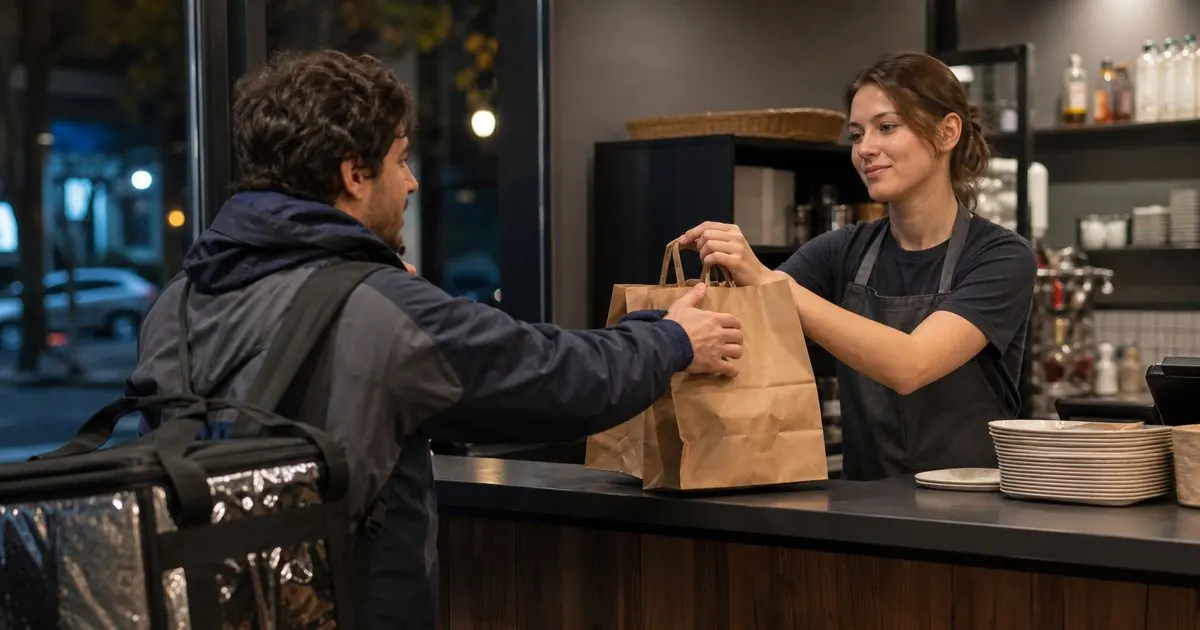
Why delivery menus drift away from the kitchen
Most delivery platforms import a menu once, either from a photo, a PDF, or a POS sync, and from then on every change depends on someone logging into a separate dashboard. Restaurants on three platforms have three copies of the menu to maintain, and the person maintaining them is usually a manager handling it between other tasks, not the chef who knows what changed. Descriptions get shortened to fit, photos are reused across items, and any allergen note that lived in a footnote on the printed menu never made the trip. Related: Why a Printed Allergen Card Goes Out of Date
The platforms themselves treat allergen information inconsistently. Some offer a dedicated field for dietary tags, some have none, and the tags that exist are often limited to a few categories that do not map to the nine major allergens. Virtual brands make this worse: one kitchen running several delivery-only names can have the same dish listed under different descriptions with different allergen notes. None of this is visible to the guest, who sees a clean listing and assumes it was reviewed. Related: Cross Contamination: What Staff Need to Know
Keep reading: Allergen Labeling Basics Every Restaurant Should Know, Why a Printed Allergen Card Goes Out of Date, Building a Menu That Is Safe and Appealing. See how MenuAegis helps you live allergen and nutrition menus with an auto-updating qr.
What to put in the listing itself
Since the guest cannot ask a server, the listing must carry the information. Add a short, consistent contains line to every item description, written the same way on every platform: the word Contains followed by the major allergens present. Put it at the end of the description where truncation is least likely to cut it. Add a single shared-kitchen note at the store level or in a pinned item explaining that dishes are prepared in a kitchen that handles all major allergens and that guests with allergies should call before ordering, with the phone number included.
Where a platform allows a link in the store description, point it to your live allergen menu so guests can see the full matrix rather than a summary. Treat the special instructions box as a courtesy, not a control. It is where guests will type allergy notes, but it is also where they type requests for extra napkins, and at peak volume it is easy to miss. The listing should be accurate enough that a guest who never uses the box is still protected. Related: Building a Menu That Is Safe and Appealing
Handling allergy notes that arrive on a ticket
When an allergy note does appear on a delivery ticket, it needs to interrupt the normal flow. Define a protocol: the expo reads any note aloud, the cook confirms the dish can be made safely against the matrix, and the bag gets a visible allergy label and is sealed separately from other orders. If the dish cannot be made safely, or if the note asks about an allergen the kitchen cannot rule out, the right move is to contact the guest through the platform or cancel the item, not to send it and hope.
Packing matters more for delivery than for dine-in because the food travels with other orders. Keep allergy orders in their own sealed bag, avoid stacking sauces from other orders on top, and make sure the label survives the courier handoff. Log the order number and what was done so that if the guest calls later, the kitchen can show what happened. This is the same discipline as an allergy ticket at the pass, applied to a guest you will never see.
One source of truth, many channels
The only sustainable fix is to stop maintaining allergen information per platform. Keep one master record for every dish, with allergens listed at the component level, and treat every channel as a copy of it. Each time the record changes, run a checklist: POS, website, QR menu, and each delivery platform, with a checkbox and initials for every one. The checklist feels bureaucratic until the first time it catches a platform that was forgotten. Related: Allergen Labeling Basics Every Restaurant Should Know
Audit the copies on a schedule. Once a month, open each platform as a guest, pick your three most popular items and any dish carrying an allergen-free claim, and compare the listing to the master record. Screenshot what you find and fix discrepancies the same day. Tools like MenuAegis keep the master record live so the QR and web menus never need this check, but delivery platforms are still separate systems, and the monthly audit is the honest answer for those until the platforms sync allergen data directly.
- Delivery platforms copy the menu once and rarely see later changes, so allergen information drifts on every platform independently.
- Write a consistent contains line into every item description, add a shared-kitchen note with a phone number, and link to the live allergen menu where allowed.
- Treat any allergy note on a delivery ticket as a hard stop at expo, with separate sealed packing and a logged record.
- Maintain one master allergen record and push changes to every channel through a checklist, then spot check each platform monthly.

Julien Jimenez
Julien Jimenez is an independent software builder based in Paris. He designs, ships, and operates focused SaaS products for small businesses and independent professionals. Read the full author page.
Allergen answers your staff can trust
Live allergen and nutrition menus with an auto-updating QR. MenuAegis is built to help you put this into practice.
Build your menuMore from the MenuAegis blog

Get the MenuAegis playbook
Practical guides on menu safety, straight to your inbox as we publish them. No spam, unsubscribe any time.